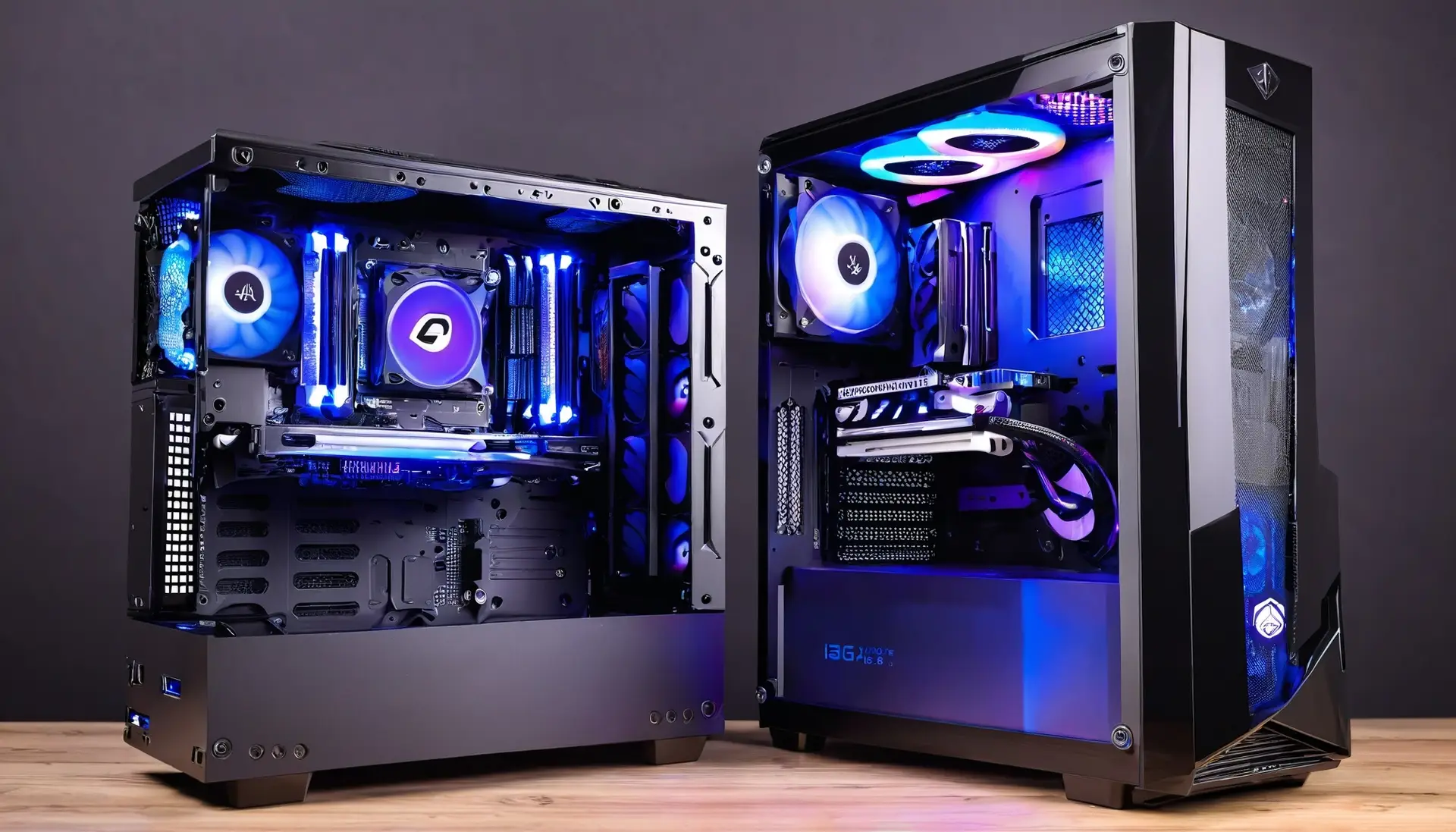

Comprehensive Guide to Computer Hardware Solutions
When it comes to the world of computers, we often get caught up in the software, apps, and operating systems. But, let’s not forget the unsung heroes—the computer hardware solutions that make everything tick. Think of computer hardware as the sturdy engine in a high-performance car. Without it, the car simply wouldn’t run, no matter how slick the exterior looks.
In this article, we’ll dive into the essentials of computer hardware solutions, explore their significance, and help you understand how they all fit together. Whether you’re a tech enthusiast or someone looking to get a grasp on computer hardware basics, you’re in the right place. Let’s hit the road!
Table of Contents
| Sr# | Headings |
|---|---|
| 1 | What is Computer Hardware? |
| 2 | Key Components of Computer Hardware |
| 3 | The Role of the CPU |
| 4 | Understanding RAM and Storage |
| 5 | Motherboards: The Heart of Your Computer |
| 6 | Graphics Cards: Bringing Your Screen to Life |
| 7 | Power Supply Units (PSUs) |
| 8 | Cooling Systems: Keeping Things Cool |
| 9 | Peripherals: Adding Functionality |
| 10 | Choosing the Right Hardware for Your Needs |
| 11 | Upgrading vs. Replacing Components |
| 12 | Common Hardware Issues and Troubleshooting |
| 13 | The Future of Computer Hardware |
| 14 | Building Your Own PC: A Beginner’s Guide |
| 15 | Conclusion |
What is Computer Hardware?
Computer hardware refers to the physical components that make up a computer system. Think of it like the ingredients in a recipe. You can’t make a cake without flour, eggs, and sugar. Similarly, your computer can’t function without its hardware components.
From the CPU to the hard drive, every part has a unique role. Hardware components work together to process and store data, execute commands, and enable communication with other devices. Understanding these components can help you make better decisions about upgrading or fixing your computer.
Key Components of Computer Hardware
In a typical computer setup, there are several key components you should be familiar with:
- Central Processing Unit (CPU): Often referred to as the brain of the computer, the CPU processes instructions and performs calculations.
- Random Access Memory (RAM): RAM temporarily stores data that the CPU needs while performing tasks. Think of it as the computer’s short-term memory.
- Motherboard: This is the main circuit board that connects all components and allows them to communicate with each other.
- Storage Devices: These include Hard Disk Drives (HDDs) and Solid State Drives (SSDs), which store data permanently.
- Power Supply Unit (PSU): This provides the necessary power to all components of the computer.
- Graphics Card: This processes and outputs images to your monitor, essential for gaming and graphic design.
The Role of the CPU
The Central Processing Unit, or CPU, is often referred to as the brain of your computer. Just like a brain processes thoughts and commands, the CPU processes data and instructions. It performs calculations, runs programs, and executes tasks, making it one of the most crucial components of your computer.
Think of the CPU as the conductor of an orchestra. It directs all the various instruments (or components) to play in harmony, ensuring everything works together smoothly.
Understanding RAM and Storage
RAM, or Random Access Memory, is like a computer’s short-term memory. It stores data temporarily while your computer is on, allowing for quick access to information. When you open a program or file, RAM holds this data so the CPU can access it quickly.
Storage, on the other hand, is where your computer keeps data permanently. Hard Disk Drives (HDDs) and Solid State Drives (SSDs) are common storage devices. HDDs are like traditional filing cabinets, while SSDs are more like fast-access drawers that allow for quicker retrieval of files.
Motherboards: The Heart of Your Computer
The motherboard is the main circuit board that connects all the components of your computer. It’s like the nervous system of your body, connecting different parts and allowing them to communicate.
Every component, from the CPU to the RAM and storage devices, plugs into the motherboard. It ensures that data flows smoothly between all these parts, making it a crucial element of your computer’s functionality.
Graphics Cards: Bringing Your Screen to Life
Graphics cards, or GPUs, are responsible for rendering images and videos on your monitor. If you’ve ever enjoyed a high-definition movie or played a graphics-intensive video game, you’ve seen the work of a graphics card.
Think of the graphics card as an artist, taking data and turning it into beautiful visuals. It’s essential for tasks that require high-quality graphics, like gaming, video editing, and graphic design.
Power Supply Units (PSUs)
The Power Supply Unit, or PSU, is responsible for providing power to all the components of your computer. It’s like the electrical system in your home, ensuring that every part of your computer receives the energy it needs to function.
Without a reliable PSU, your computer wouldn’t have the power to run, and all the other components wouldn’t be able to do their jobs.
Cooling Systems: Keeping Things Cool
As your computer’s components work, they generate heat. Cooling systems are essential to prevent overheating, which can damage hardware and reduce performance.
Cooling systems come in various forms, including fans, heat sinks, and liquid cooling setups. They work to dissipate heat and maintain an optimal temperature for your computer to run efficiently.
Peripherals: Adding Functionality
Peripherals are additional devices that connect to your computer to enhance its functionality. These include keyboards, mice, printers, and external storage devices.
Imagine your computer as a central hub, and peripherals as the tools that extend its capabilities. They make it easier to interact with your computer and perform specific tasks.
Choosing the Right Hardware for Your Needs
When selecting computer hardware, consider your specific needs and how you’ll use your computer. Are you a gamer, a graphic designer, or just someone who needs a reliable machine for everyday tasks?
Choosing the right components ensures that your computer performs well and meets your requirements. It’s like picking the right tools for a job—having the right equipment makes all the difference.
Upgrading vs. Replacing Components
Sometimes, upgrading individual components can improve your computer’s performance without needing a complete replacement. For example, adding more RAM or upgrading your graphics card can boost your computer’s capabilities.
On the other hand, replacing components might be necessary if they’re outdated or damaged beyond repair. Deciding between upgrading and replacing depends on your budget and performance goals.
Common Hardware Issues and Troubleshooting
Computer hardware issues can range from minor glitches to major failures. Common problems include overheating, hardware conflicts, and component failures.
Troubleshooting involves diagnosing the issue and finding a solution. This might mean cleaning out dust, checking connections, or replacing faulty components. Understanding common issues can help you address problems more effectively.
The Future of Computer Hardware
The world of computer hardware is always evolving. Advances in technology lead to more powerful, efficient, and compact components.
Looking ahead, we can expect to see developments like faster processors, increased storage capacities, and more energy-efficient designs. Staying informed about these trends can help you make better decisions about your hardware.
Building Your Own PC: A Beginner’s Guide
Building your own PC can be a rewarding experience, offering customization and potentially cost savings. It involves selecting components, assembling them, and configuring your system.
If you’re new to building PCs, start with a basic setup and follow online guides or tutorials. It’s like assembling a complex puzzle—careful planning and attention to detail lead to a successful build.
Conclusion
Understanding computer hardware is essential for anyone who uses or manages a computer. From the CPU to the cooling systems, every component plays a crucial role in making your computer run smoothly. Whether you’re upgrading, troubleshooting, or building a new system, having a solid grasp of hardware can help you make informed decisions and keep your computer performing at its best.